
Role defines the type of work or responsibility assigned to a user and helps determine which tasks can be assigned to them.
Role Level defines the user's level or seniority within that Role. Together, Roles and Role Levels help identify the appropriate users for task assignments based on their responsibilities and level.
You can create Roles and assign them to users in your organization. These Roles can then be used to assign appropriate tasks to users.
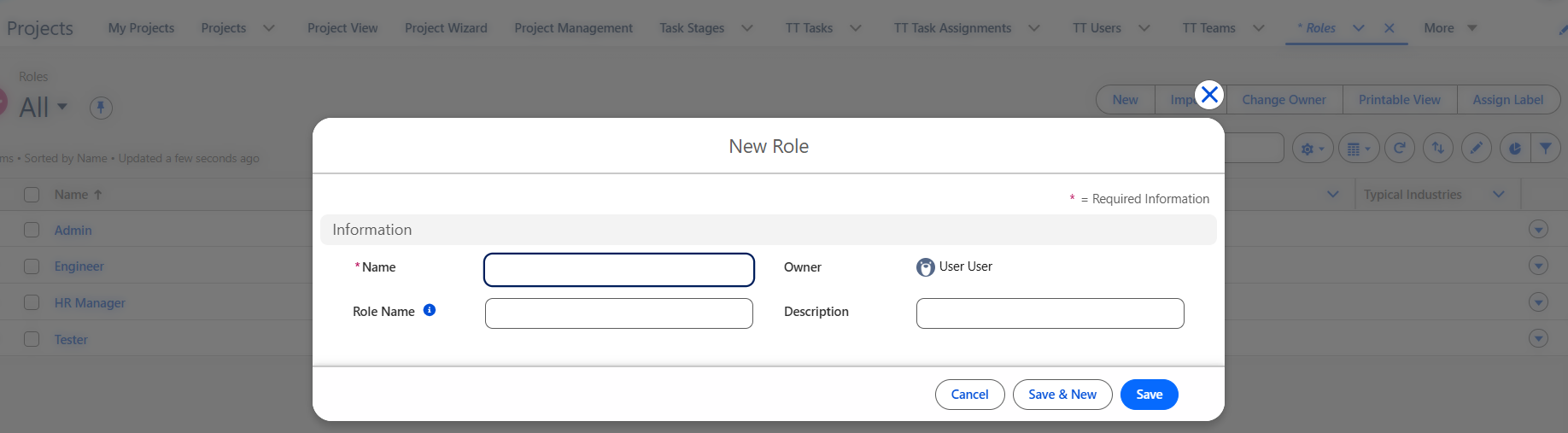
To create a Role:
- Go to the Role tab and click New.
- Enter the Name, Role Name, and Description.
- Click Save to create the Role.
Creating Role Levels
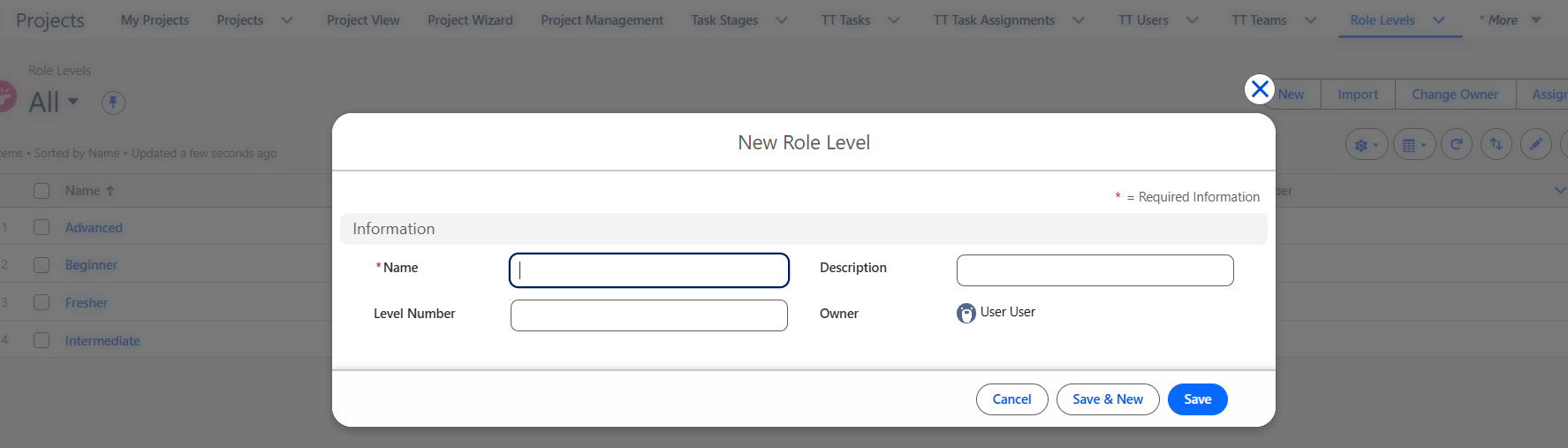
To create a Role Level:
- Go to the Role Level tab and click New.
- Enter the Name (Role Level Name), Level Number, and Description.
- Click Save to create the Role Level.
Now that the Roles and Role Levels have been created, you can assign them to users by following the instructions here.