You can now create multiple Tasks and add them to a project simultaneously.
- Click here to know more about creating a Template Project.
- Click here to know more about adding Template Tasks to Projects.
Once the Templates are created, follow the instructions below to apply the template Tasks to Projects.
Create Project from Template
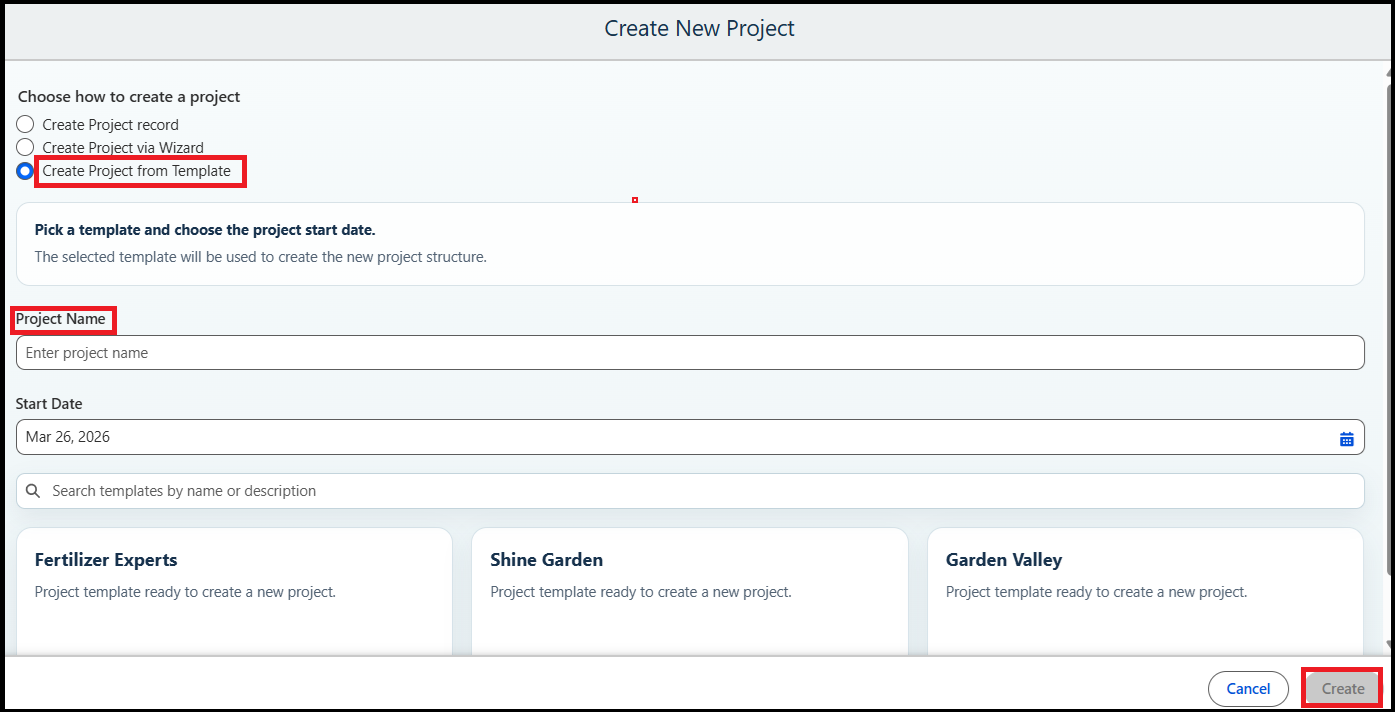
- Click the New Project button and select the Create Project from Template option.
The project creation screen will appear as shown in the screenshot below. - Enter the following details:
- Project Name
- Project Start Date
- Search for and select the Template Tasks you want to apply to the project.
- Once all details are entered, click Create.
A new project will be created automatically along with all the related tasks from the selected template.