Assignments Tab
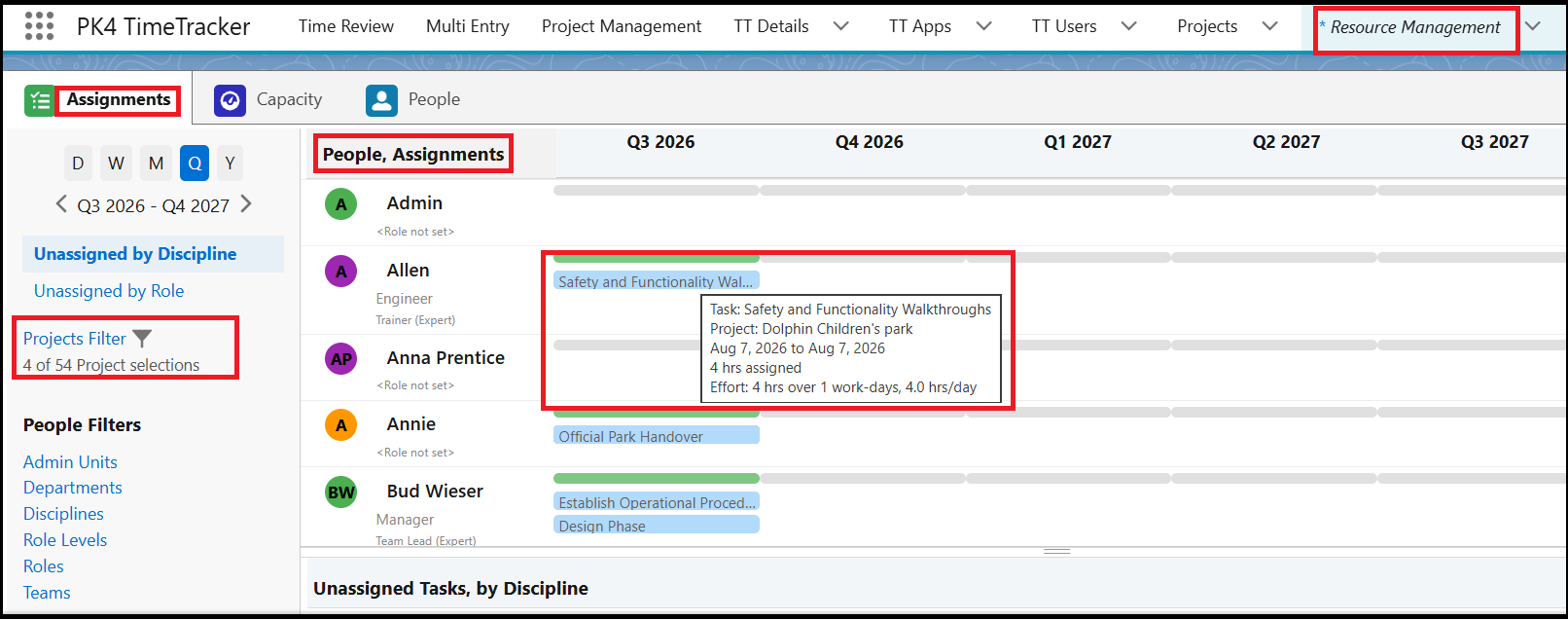
The Assignments tab in the Resource Management tab displays assigned and unassigned tasks, allowing you to manage task assignments and resource allocation.
- You can view assigned tasks in Day, Week, Month, Quarter, and Year calendar views.
- By default, the calendar is displayed in Month view. Use the calendar view options on the left side of the page to change the display period.
- The People, Assignments section displays user names and the tasks assigned to each user.
- Hover over a task to view additional details, such as the Project Name, Assignment Start Date, Assignment End Date, and Assigned Hours.
- The Unassigned Tasks by Discipline section displays tasks that have not yet been assigned to a user.
- To assign an unassigned task, drag and drop the task bar to the appropriate user in the People, Assignments section.
- You can filter unassigned tasks by Discipline or User Role.
- Use the Project filter to select a specific project and view its related tasks.