Project View-Only access allows a non-Project Manager user to view the Project, its related Tasks, and Task Assignments without making any changes to the Project or its related data.
Steps to Provide View-Only Access
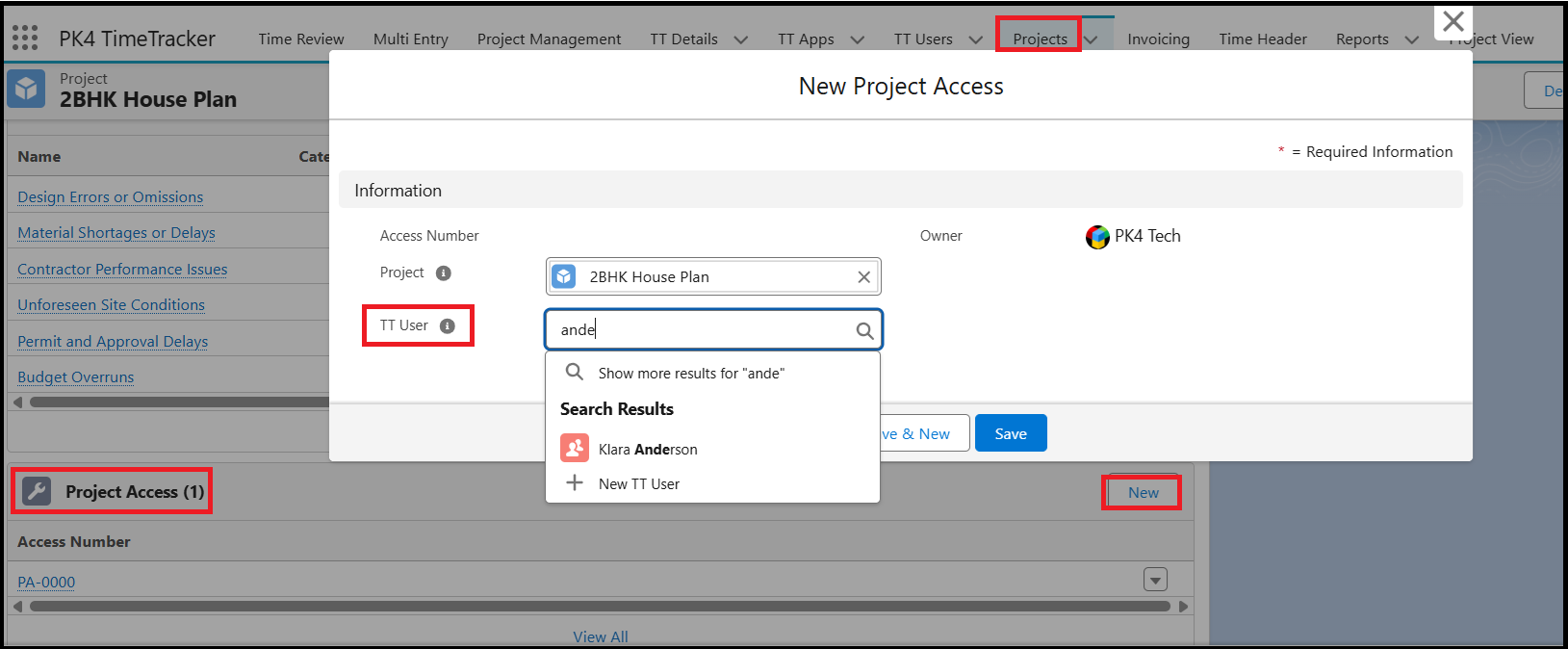
- Navigate to Projects and open the required Project record.
- Go to the Related tab.
- Scroll to the Project Access section.
- Click New.
- Search for and select the user to whom you want to grant view access.
- Save the record.
Once access is granted, the user will be able to view the Project in the Project View, but will not have permission to edit or modify any Project data.