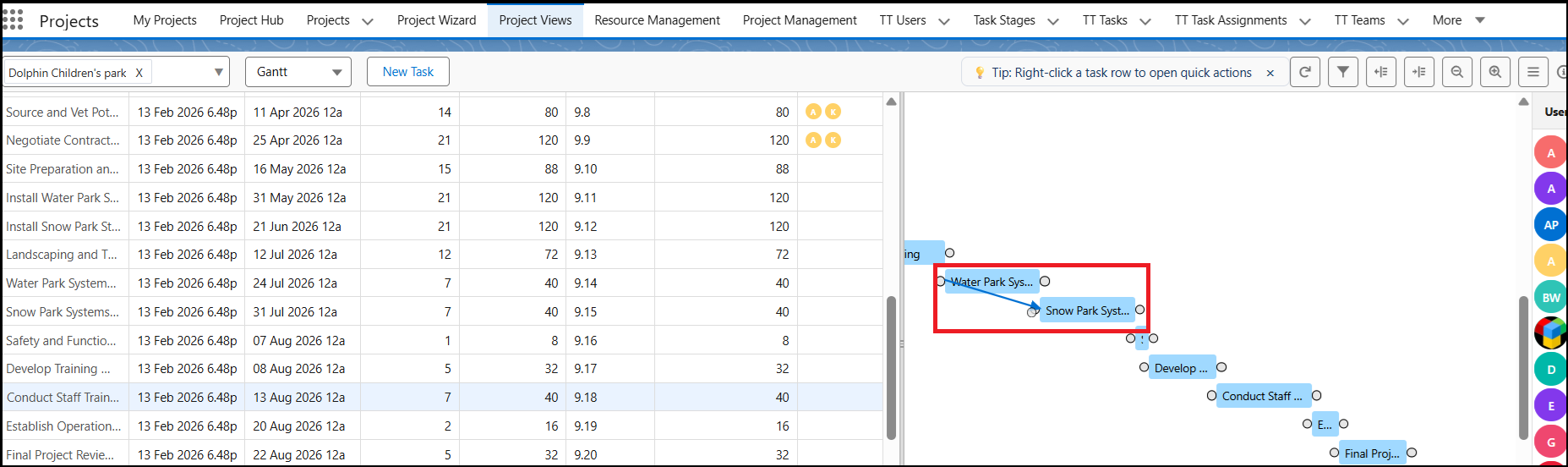
Task Dependencies help you define the order in which tasks should be completed in a project. This ensures that users follow the correct sequence and the project progresses smoothly without delays.
The Task Dependency list allows you to assign relationships between tasks and specify which task should be completed before another begins. It also helps track whether tasks are performed in the correct order.
Steps to Add Task Dependencies
Go to the Gantt tab in your project.
Search for and select the task for which you want to add a dependency.
Hover over the task’s blue bar. A small circular handle will appear.
Drag and drop the handle to the related task to create the dependency.
Types of Dependencies
Start-to-Start:
Drag the arrow from the beginning of the current task to the beginning of the related task if both tasks should start at the same time.Finish-to-Start:
Drag the arrow from the end of the current task to the beginning of the next task if the second task should start only after the first task is completed.
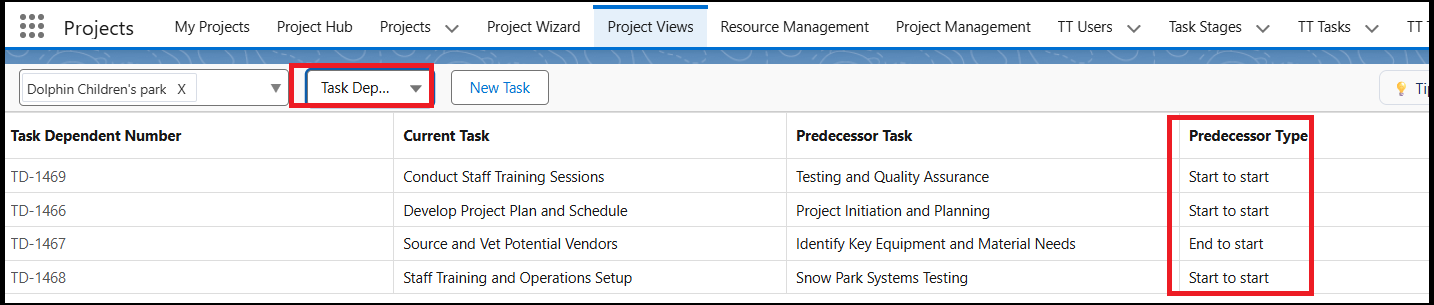
Viewing Task Dependencies
- You can view all task relationships and predecessor types in the Task Dependency list view. This helps monitor task flow and ensures proper project execution.