Assigning Tasks to Users
Click here to know more about creating the Tasks (To-Do) for a Project.
Steps to Assign a Task:
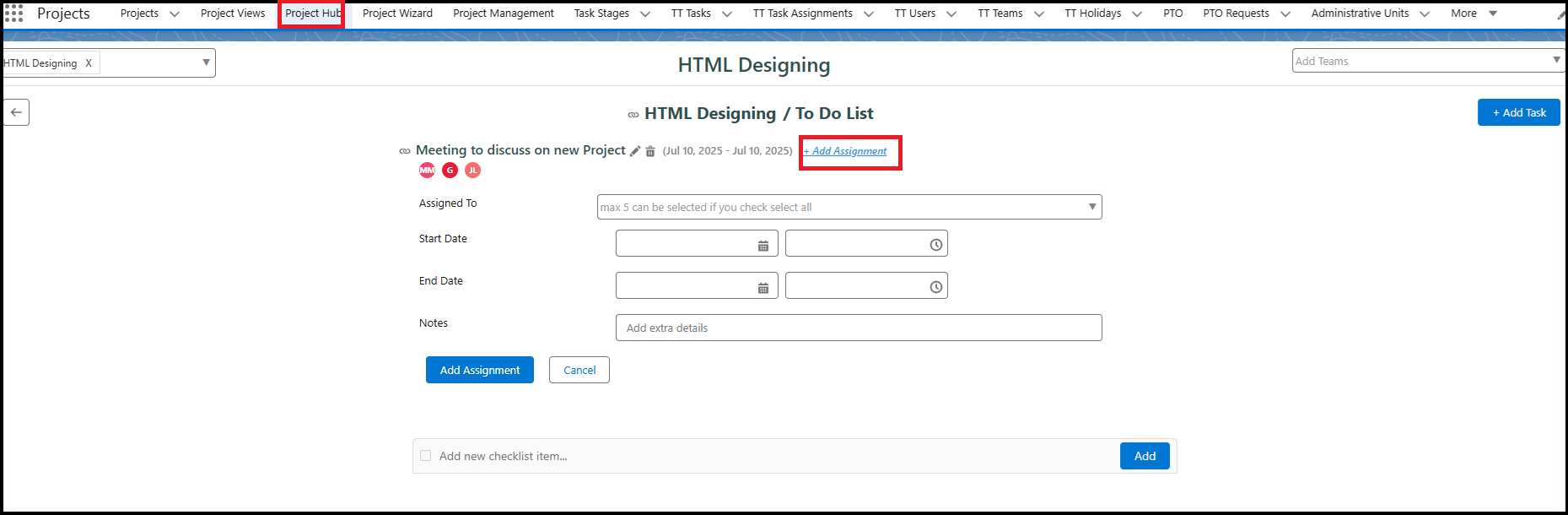
Once the task is created, you'll see the task name with an “Add Assignment” link next to it.
Click Add Assignment to open the assignment screen.
In the assignment form:
Select the User to whom the task should be assigned.
Enter the Start Date/Time and End Date/Time.
Add any Notes relevant to the assignment.
Click the Add Assignment button to save.
The task is now successfully assigned to the selected user.
Assigning Users from the Gantt Page
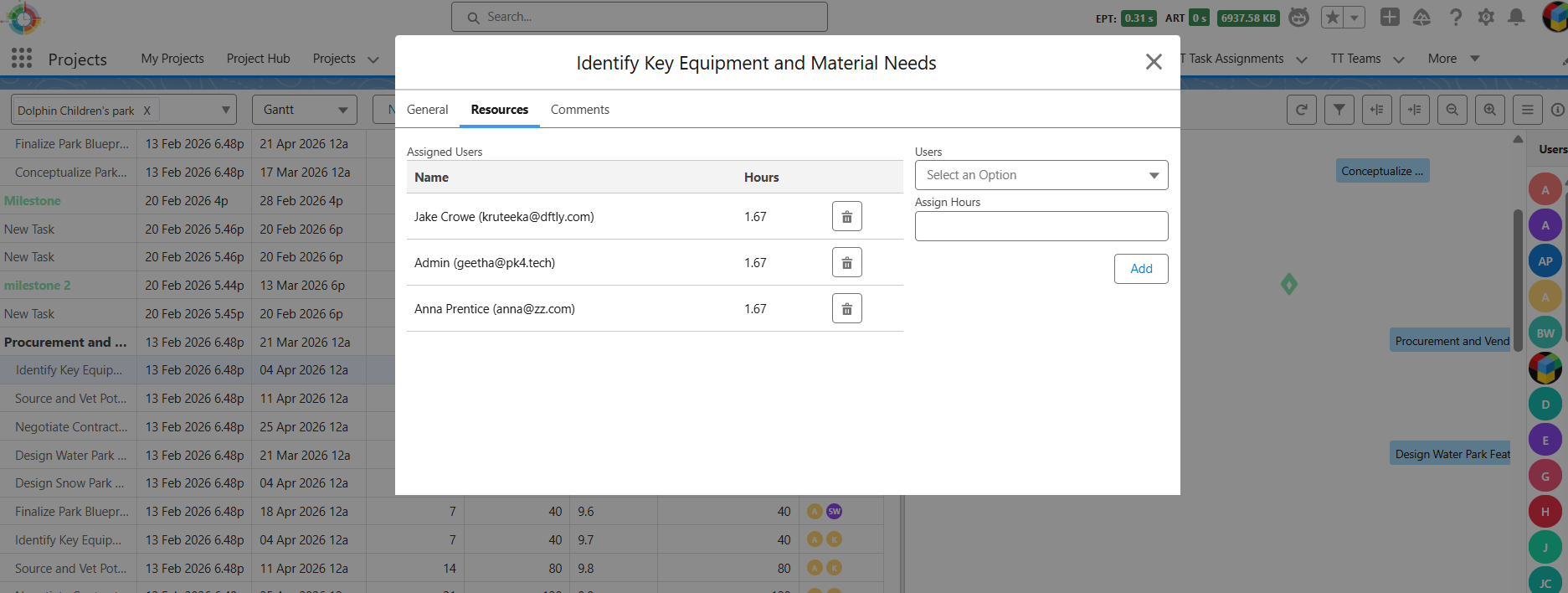
- You can also assign users to tasks directly from the Gantt page by dragging and dropping user icons onto the required task.
- When you assign users using this option, the task hours are automatically distributed equally among all the assigned users.
- If a task is already assigned to multiple users and one of them has entered time, and you later assign another user using the drag-and-drop method, the new user will be assigned to the task but the task hours will be set to 0 by default. In this case, you must manually edit and update the task hours for the newly assigned user.